
What Your Local Business Equipment Supplier Can Deliver
Innovative KYOCERA product features to keep your business moving forward.
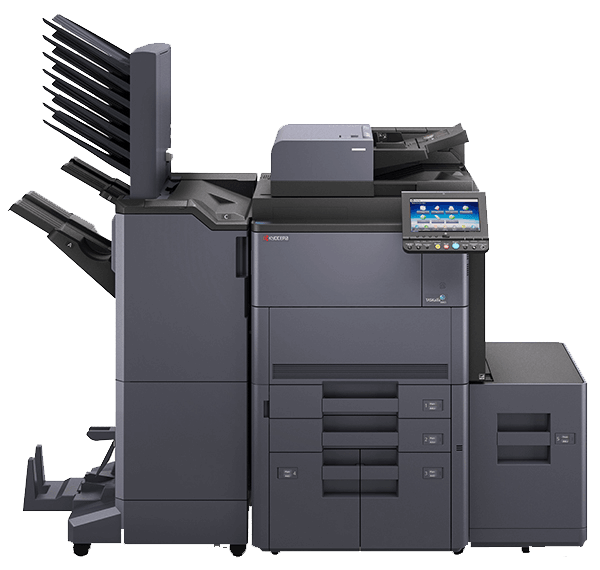
SERVICES


Total Document Solutions from Your Business Equipment Supplier
KYOCERA multi-function printers offer innovative, intuitive features that can optimize your workflow. Businesses across a wide range of industries can benefit from:
-
Managed Document Services
Optimize your entire document environment in five flexible, carefully designed phases with KYOCERA MDS.
-
Business Applications
Turn complex workflows into simple processes and bring true innovation to your office environment.
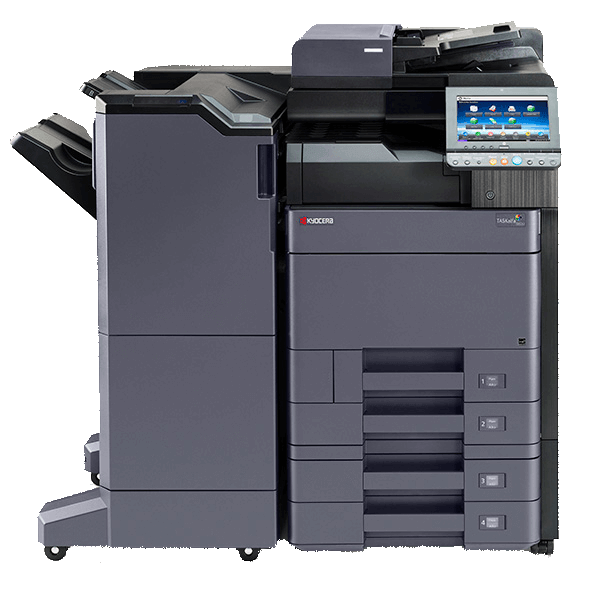
-
Enterprise Content Management
Make short work of document management and automate procedures with KYOCERA’s ECM.
-
Customization
KYOCERA helps you with “customization” in your business workflow, to meet your detailed requirements.
-
Managed Document Services
Optimize your entire document environment in five flexible, carefully designed phases with KYOCERA MDS.
-
Business Applications
Turn complex workflows into simple processes and bring true innovation to your office environment.
-
Enterprise Content Management
Make short work of document management and automate procedures with KYOCERA’s ECM.
-
Customization
KYOCERA helps you with “customization” in your business workflow, to meet your detailed requirements.
Keep Your Business Moving Forward
Let our local experts help you find the right equipment, service, or leasing solution for your office. We serve businesses in Tucson, Mesa, Marana, Phoenix, Sahuarita, Oro Valley, Scottsdale, Green Valley, Catalina Foothills, and throughout the greater Southern Arizona Region.
Usability and Accessibility Features
Your team shouldn’t have to train on new technology or become IT experts to use modern copy and print equipment. Thanks to the following product features, upgrading your business equipment is easier than ever.
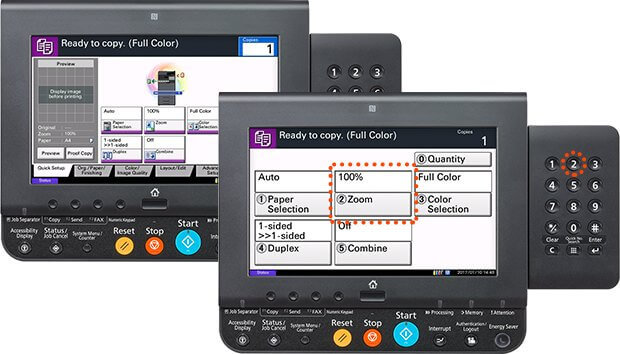
Interactive Touchscreen
With a tablet-like interface, it’s easy to access every function of your copier or printer. Fonts and icons are displayed in large sizes on a large full-color touchscreen that walks users through options, supply changes and error messages. In addition, the finished quality and image of scanned document data and the image of saved print data can be previewed. When you can check document details before you print, it ensures accurate operation.
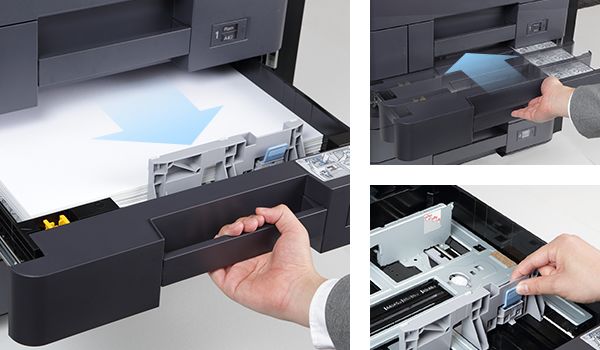
Easy-Slide Paper Drawer
Users can easily open and close the paper drawer for quick access. The semi-auto-closing paper drawer does not need to be pushed to the end. The paper guide can be adjusted with a slight force by one hand.
An ergonomic grip handle is adopted for the paper drawer for easy handling with either an overhand grip or underhand grip for easy operation.
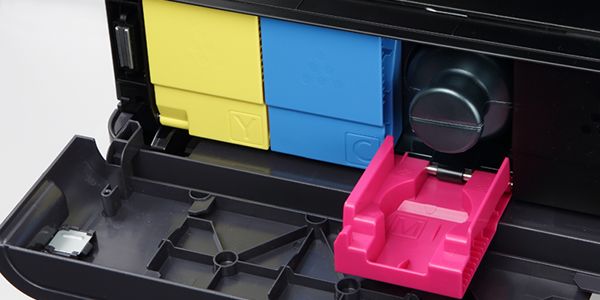
Quick Access Toner Containers
When a toner becomes empty, only the toner container cover automatically opens. This allows accurate and easy replacement of the toner container.
To distinguish toner colors, the color codes are attached to each container, carton and insertion slot.
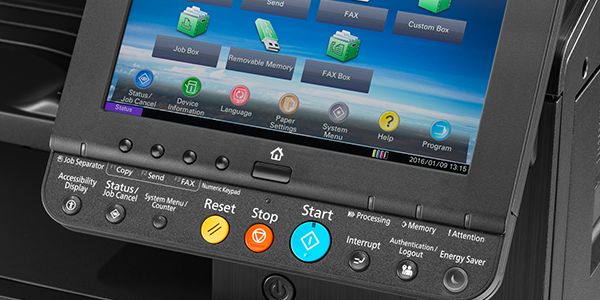
Color Coded Operations
Buttons on the operation panel and touch screen are color-coded so that the user can easily distinguish these from the surrounding areas.
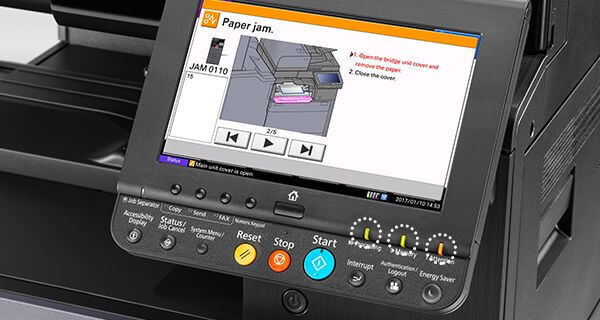
Detailed Notifications
Remove the guesswork of complicated error codes. MFPs include LED notification lamps that allow users to quickly check operational status. This lamp helps users with hearing difficulties to recognize the “paper empty” notification and other problems. In addition, the color of the LED lamp is designed in consideration of different color visions.
Connect with a Business Equipment Supplier Your Business Can Rely On
Along with the latest KYOCERA equipment, Arizona Business Equipment provides copiers, MFPs, printers, scanners, plotters, and more from industry-leading brands. We not only pair you with the right technology to keep up with your daily operations, but we also provide ongoing support and budget-friendly equipment lease agreements to ensure that your equipment is functional, reliable, and regularly updated. As a locally owned and operated business, we are here for you exactly when you need us. Get in touch with our team to learn how we can help your business run more smoothly.